01. IMPACT & DELIVERY
How I increased FM Realty's site leads by 2400%
I took my client's site leads from less than 10 leads per month to 175+, and increased their client trust ratings across their 2 target demographics by over 65%. Here is how I did it:
My Role & Deliverables
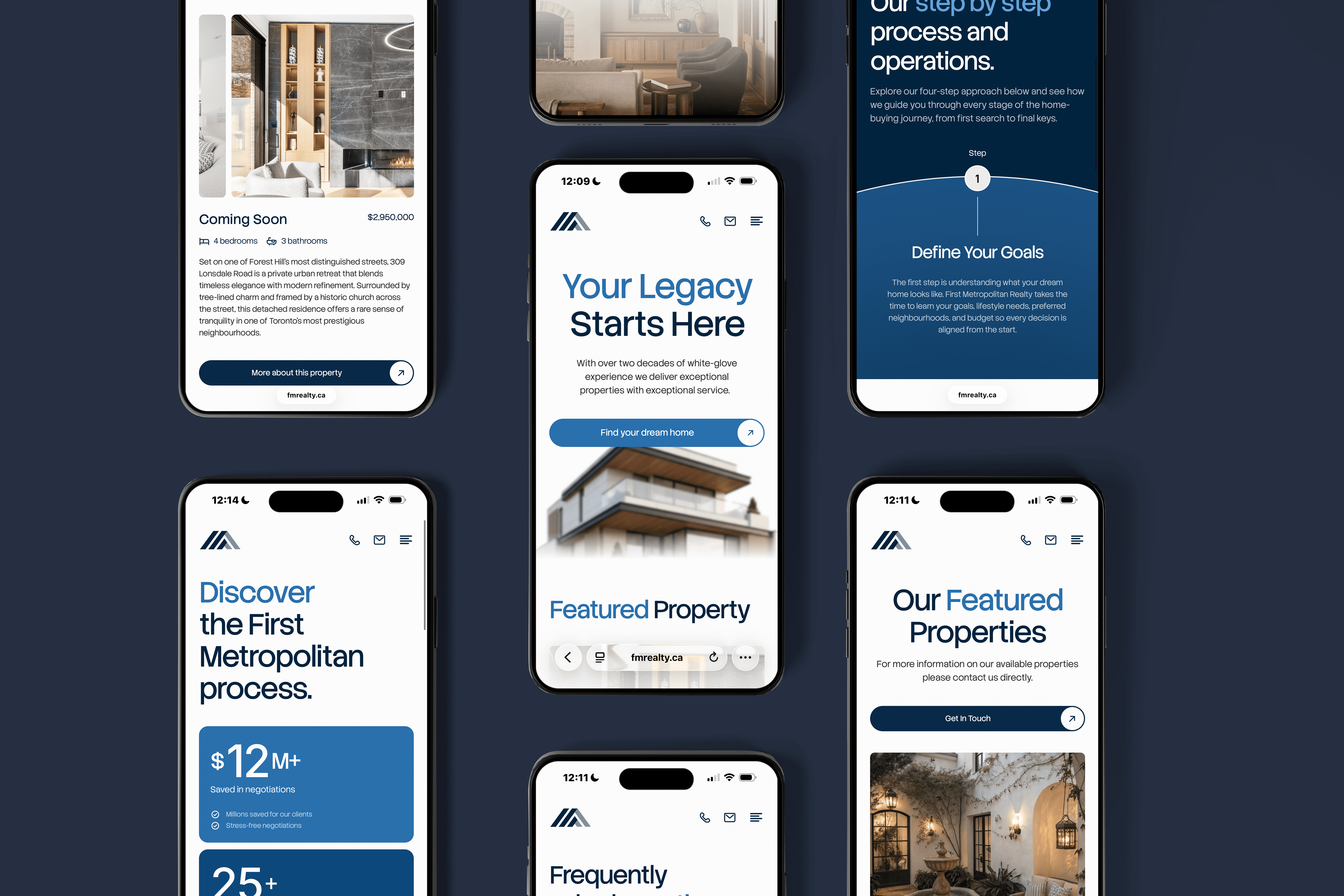
As a solo designer, I tackled First Metropolitan Realty's complete rebrand and site development by reverse engineering their analytics and user feedback, pinpointing pain points to optimize my client's positioning in Toronto's competitive realtor market against giants like Sotheby's. Using this approach, I delivered an animated, fully responsive site with 20+ screens, and a scalable brand identity system, including a modular logo suite, brand assets and collateral.
Key Metrics
Increased lead conversion by +25x
Improved client trust ratings by over 65%
increased site session duration by 233%
Oversaw a 3x uplift in CTA clicks
Lead Growth
+
25
x
CTA Uplift
+
300
%
Simplified MoSCoW Diagram
This visual captures my MoSCoW approach at a glance: I mapped 50+ ideas from analytics/user feedback to these buckets, focusing 70% effort on Must/Should for 90% lead-gen impact. The full artifact (shared with stakeholders) spans 3 pages with user stories, dependencies, and metrics.
Client Communication
In this solo led rebrand + site project, I achieved incredible results through consistent alignment with the two owners of the brokerage. This consisted of:
Weekly 1hr Zoom Strategy Meetings + Prototype walkthroughs with the Brokerage owners and their team
Bi-Weekly 15-20m validation sessions with FM's realtors
Result: "Julia was thorough, detail-oriented and delivered a site that has achieved more in 6 months than it has in years for our business" - Clara Mione, Owner
02. GOALS & RESEARCH
Why are a new website & rebrand needed?
My client had an outdated, non responsive website that was driving near-zero leads. This made FMR look unprofessional and out of touch despite decades of experience. They needed a modern brand identity and web experience that showcases their expertise and brings in leads.
Research Overview
I began my research by gaining an understanding the core operations of the brokerage, and how their current site and branding are failing them. This included answering the following:
What is my client's unique value proposition and how is their current site/branding failing to convey that?
What does my client's target audience look like, and what are their pain points?
How are FMR's competitors succeeding in this competitive market and how can I differentiate my client sucessfully?
Discovery Methods
Realtor focus group & interviews
Owner interviews
Attention insight heatmap analysis
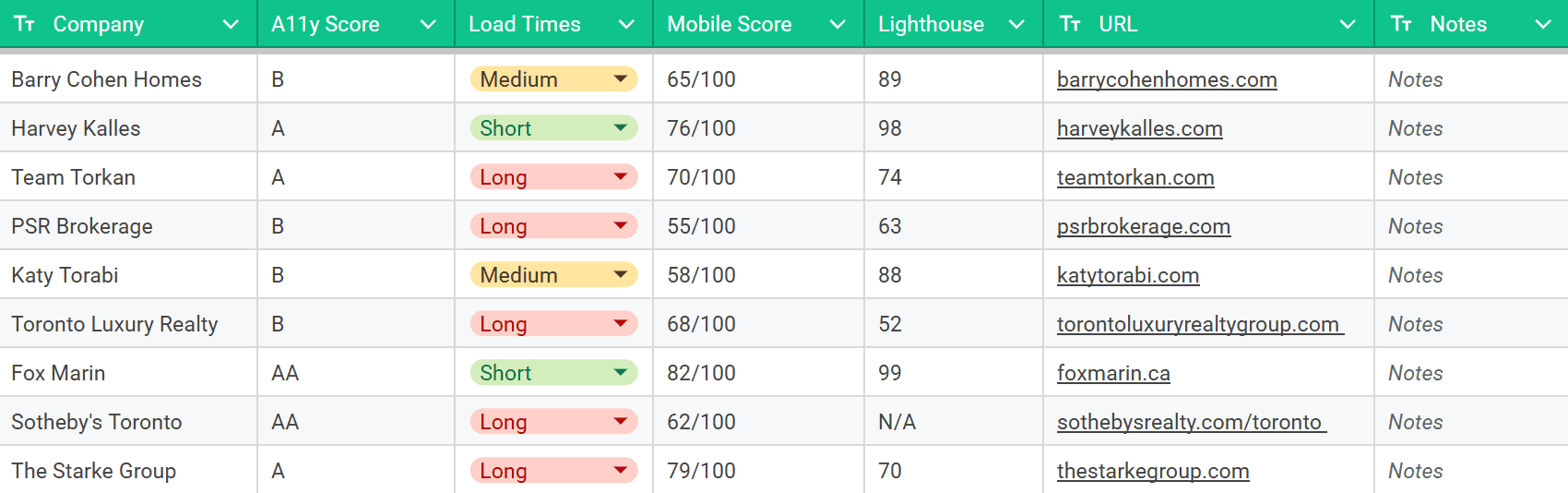
Competitor audit
Target audience/User interviews
Journey mapping
Admin operations audit
Key Observations
Challenge
Method
90% Mobile Bounce
GA4 (pre-redesign)
Sticky nav, micro-interactions, light, seamless UI
Client Trust Gap
20 client interviews (80% cited unreliable feel)
Navy primary palette, Gestalt shapes for brand, high contrast CTAs, Oversized imagery
Low Conversions
0% mobile conversions
Sky blue accents for approachability, more CTAs, homepage email signup
Competition Lag
Competitor audit (10 local rivals w/ 4x traffic)
High contrast ratios, larger images, softer color palette for differentiation, no full image on hero.
Hero Disconnect
GA4 (pre-redesign)
Above-fold peek, hamburger nav to encourage users to scroll
03. PROCESS
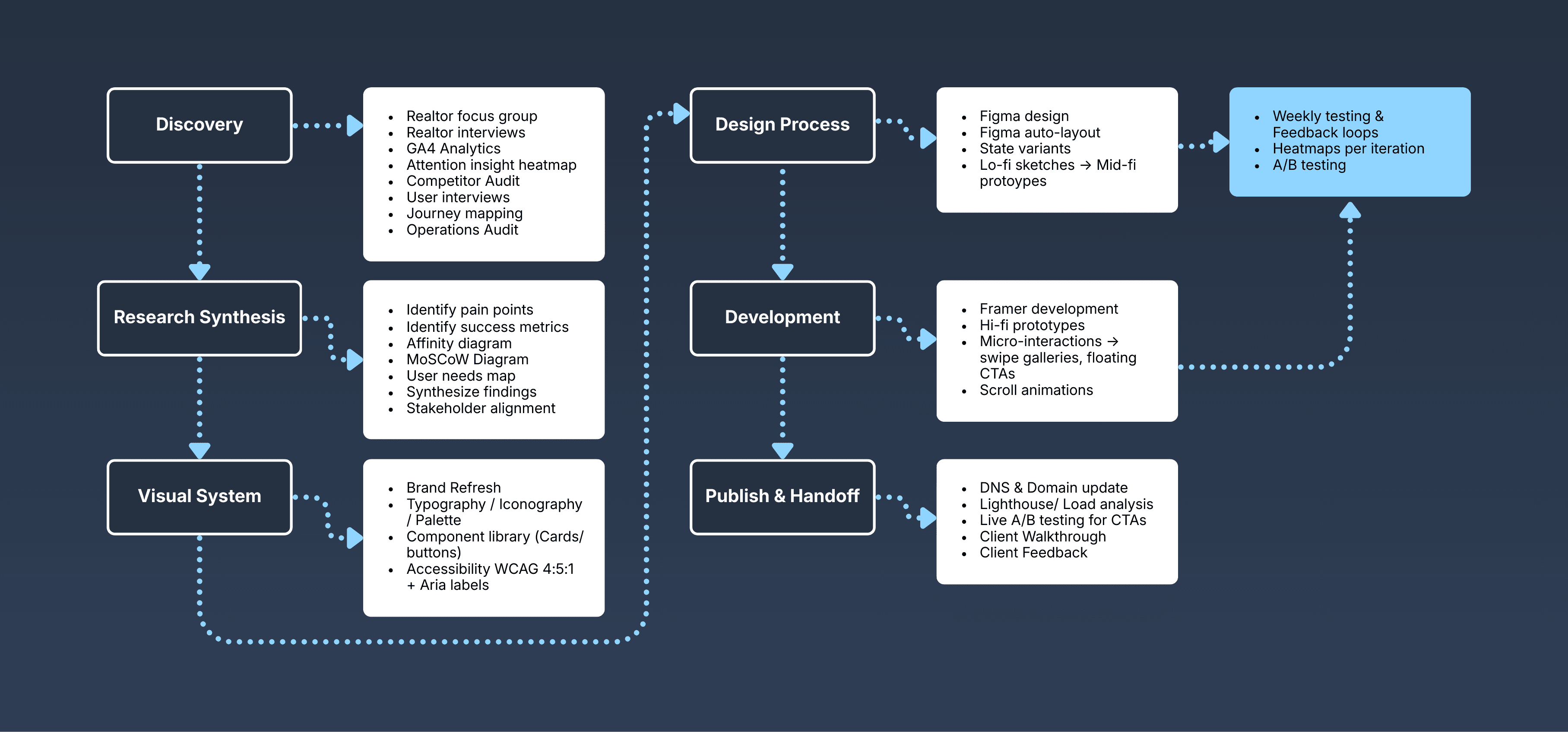
How I systematically redesigned FMR
Discovery
Research Synthesis
This phase was all about understanding and analyzing my findings in discovery, identifying pain points, success metrics, user needs, and creating diagrams to help understand which design solutions could solve those pain points and which ones I would implement.
Visual System
The design of the visual system consists of creating the groundwork for the new brand system that would represent FMR as a company. It included typography, iconography, a full logo suite, colour palette, and for the web system, a component library and accessibility guidelines for the colour palette usage.
Design Process
Phase 4 consisted of designing the wireframes for the screens and state variants in Figma, and creating responsive lo-fi and then mid-fi prototypes with rounds of testing throughout (Heatmaps/ AB testing/ Feedback loops).
Development
Development for this project was done in framer, where I created Hi-fi prototypes, and made the site feel alive through the addition of micro-interactions, and scroll animations. Thorough testing was also performed at this stage.
Publishing & Handoff
Once the final prototype was approved, the final stage involved updating the DNS to load the site to it's new domain, double checking load times via lighthouse, performing a client walkthrough for the site, and setting up A/B testing for different CTA variations to optimize conversion for my client.
How my findings fueled key design decisions
Brand Design System
Designed for trust, reliability and professionalism, with a UI focus to target the client's pain points.
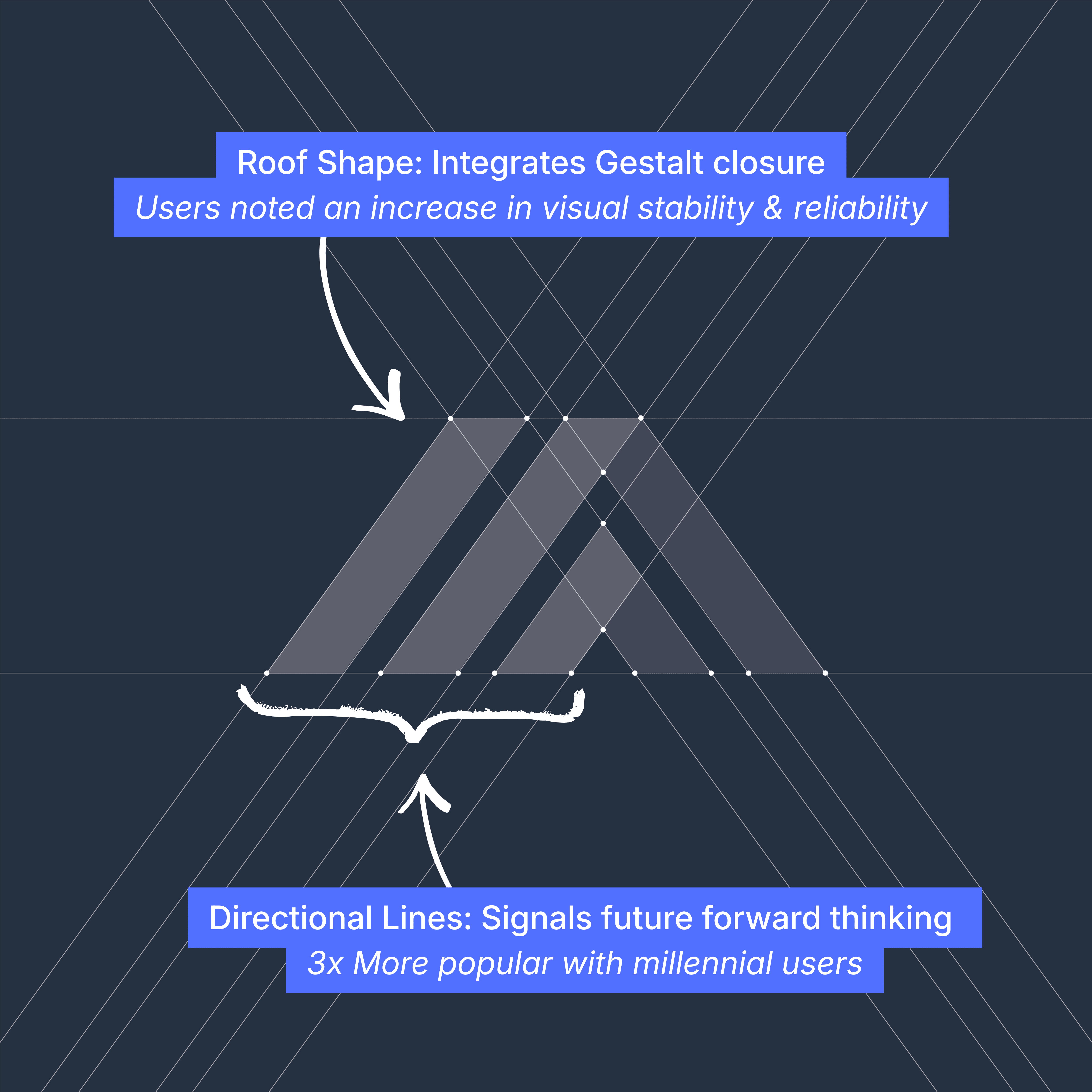
M-Form: The logo forms the shape of an M, using pillars that stand for stability and reliability.
Roof Shape: The roofline integrates Gestalt closure, reinforcing realty. (Users noted an increase in visual stability)
Upward Lines: Directional lines signal future-forward thinking (3x+ Millennial Improvement)
Navy Primary: Professional & trustworthy (80%+ boomer approval and increase in perceived trust across users)
Approachable Accent: Added for modern approachability (Users noted more "friendly")
Web Design System
The web system was designed to hit all of my client's pain points and truly optimize the web experience for its users.
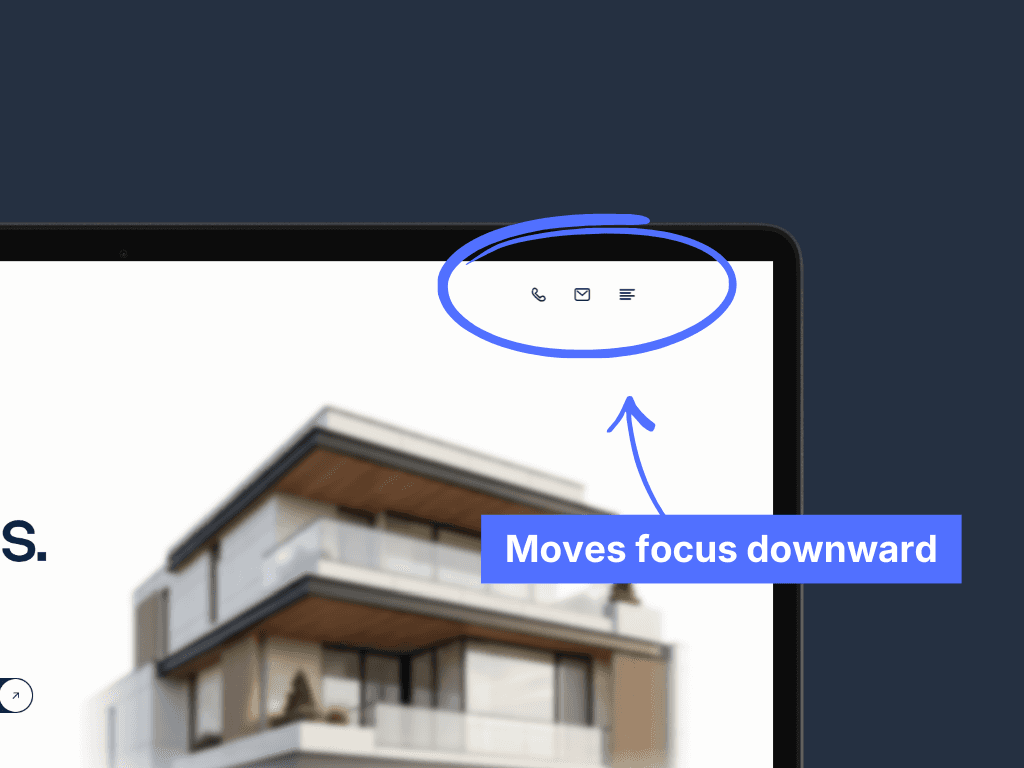
Problem: Nav Detracting from Images
Solution: Hamburger Nav
During testing, a regular nav was found to take user attention away from the images/text below. By using a hamburger nav we remove this barrier.
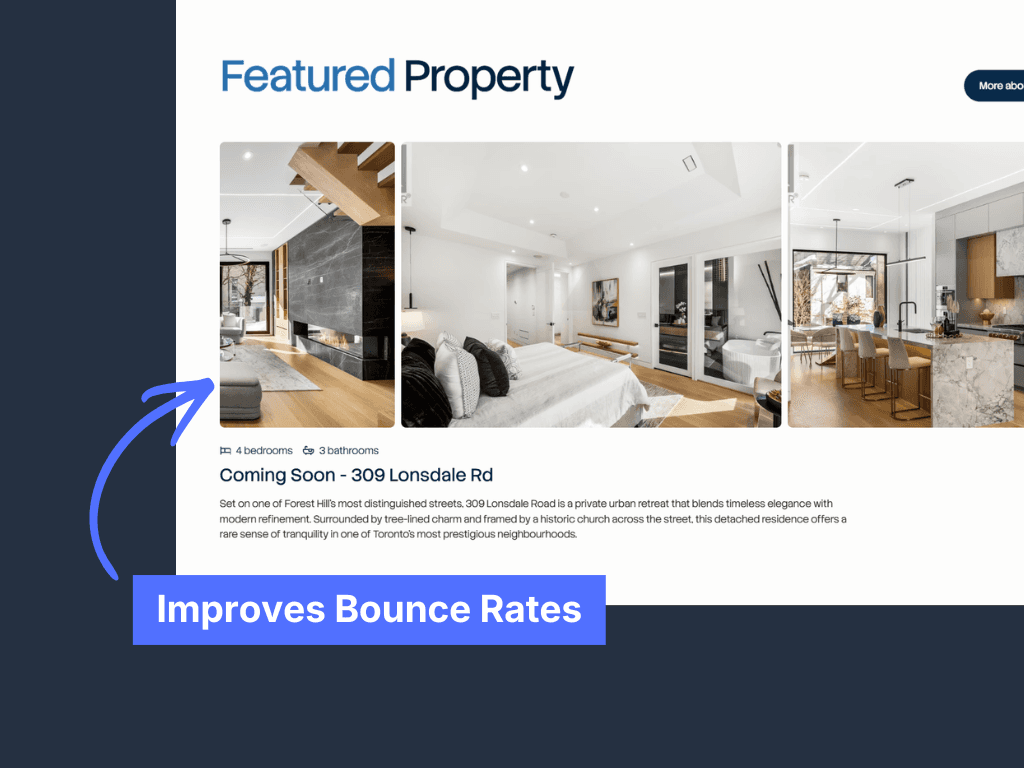
Solution: Scroll Animations
Our younger target audience was found to have higher bounce rates from static sites, so I implemented scroll animations.
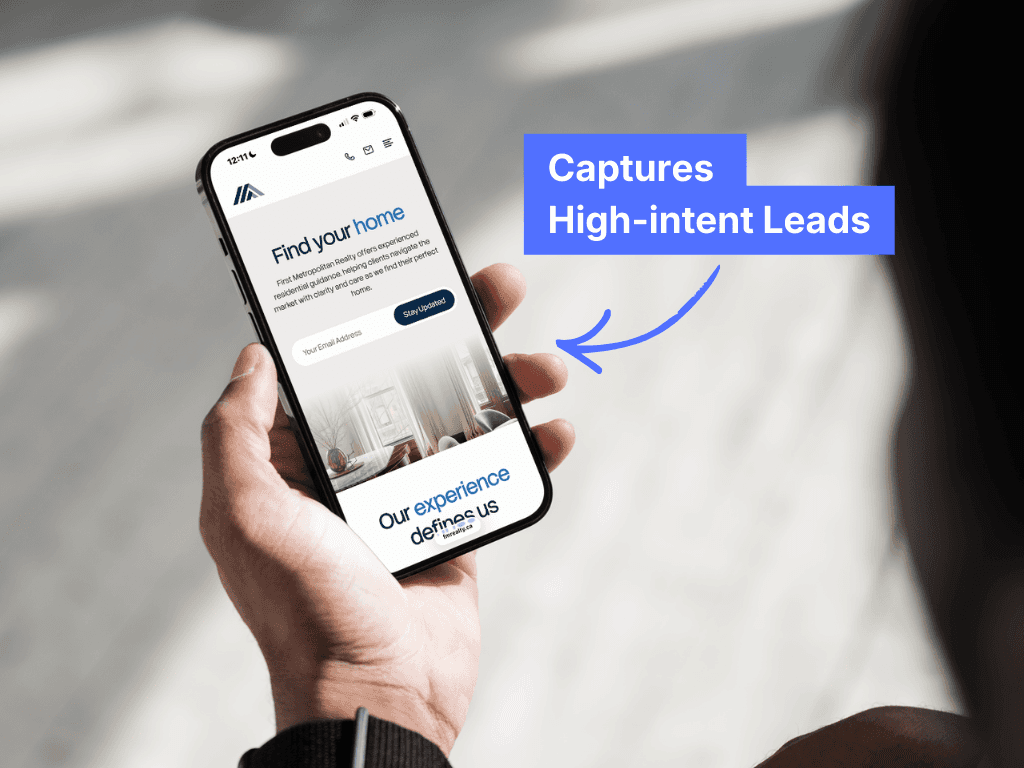
I used a homepage email signup with a CTA style header to encourage user signups and capture high intent leads early.
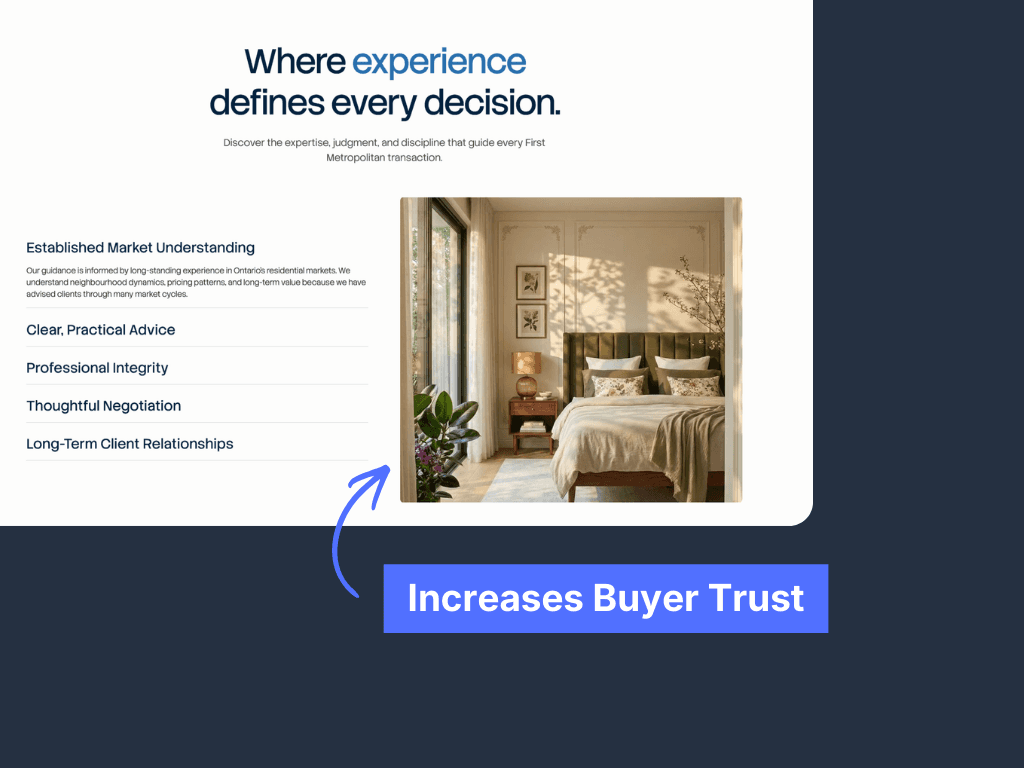
Problem: Low Buyer Trust
Solution: Oversized Imagery
During testing, I found that smaller images reduced trust with buyers. By increasing image size, we saw a significant increase in buyer trust metrics.
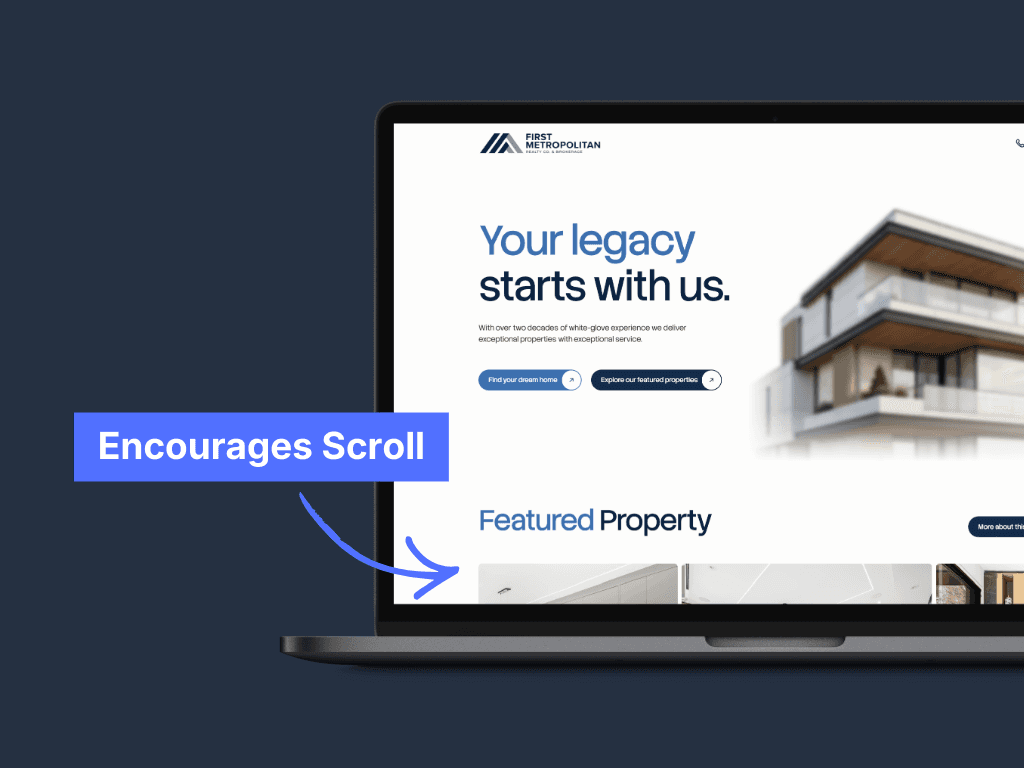
Problem: Hero to Listings Disconnect
Solution: Above-Fold Peek
The previous site had issues getting users to scroll. So I implemented a curiosity hook to encourage users to keep scrolling using an above the fold peek.
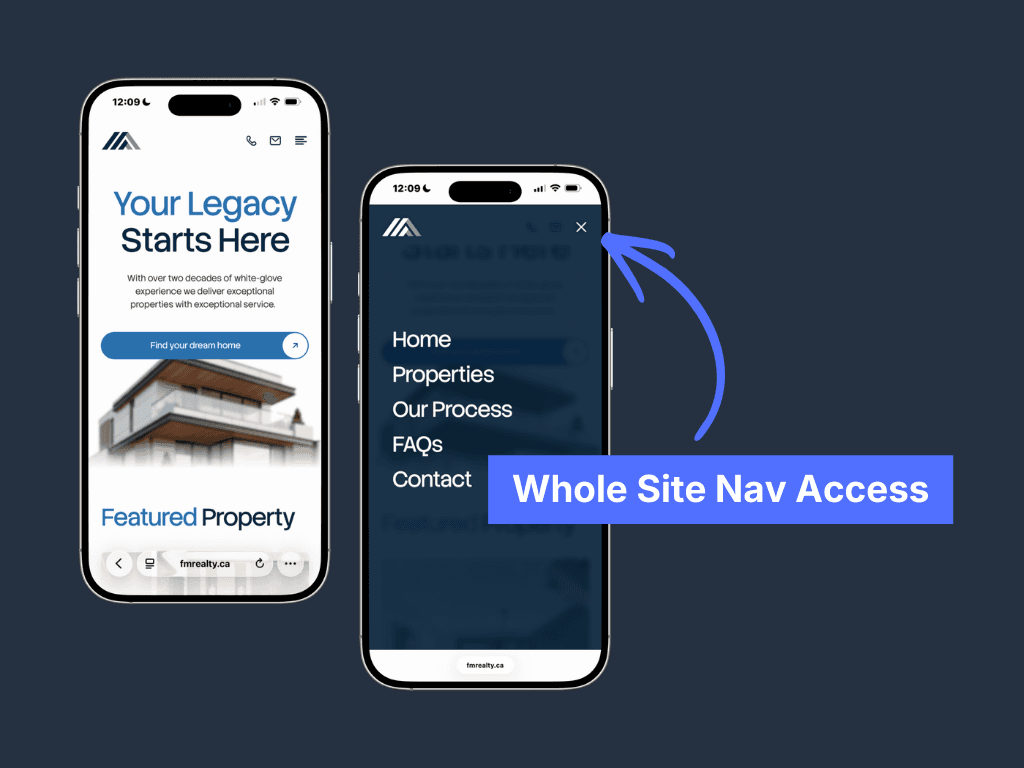
Problem: Mobile Scroll Fatigue
Solution: Sticky Scroll Nav
More than 60% of clients were found to use the site through mobile. To limit mobile scroll fatigue, I implemented a sticky scroll nav.
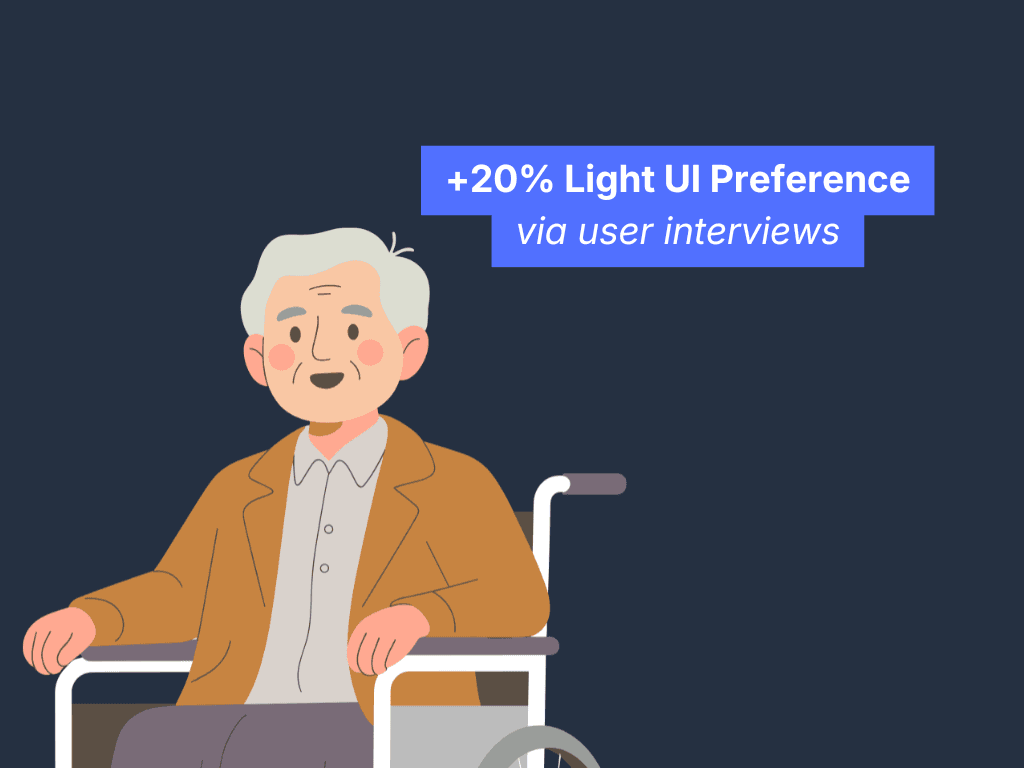
Problem: Readability in Older Users
Solution: Light UI
My testing found that older users are more familiar with light UI. So I implemented a light UI with 4:5:1 contrast to capture leads dark realty sites missed.
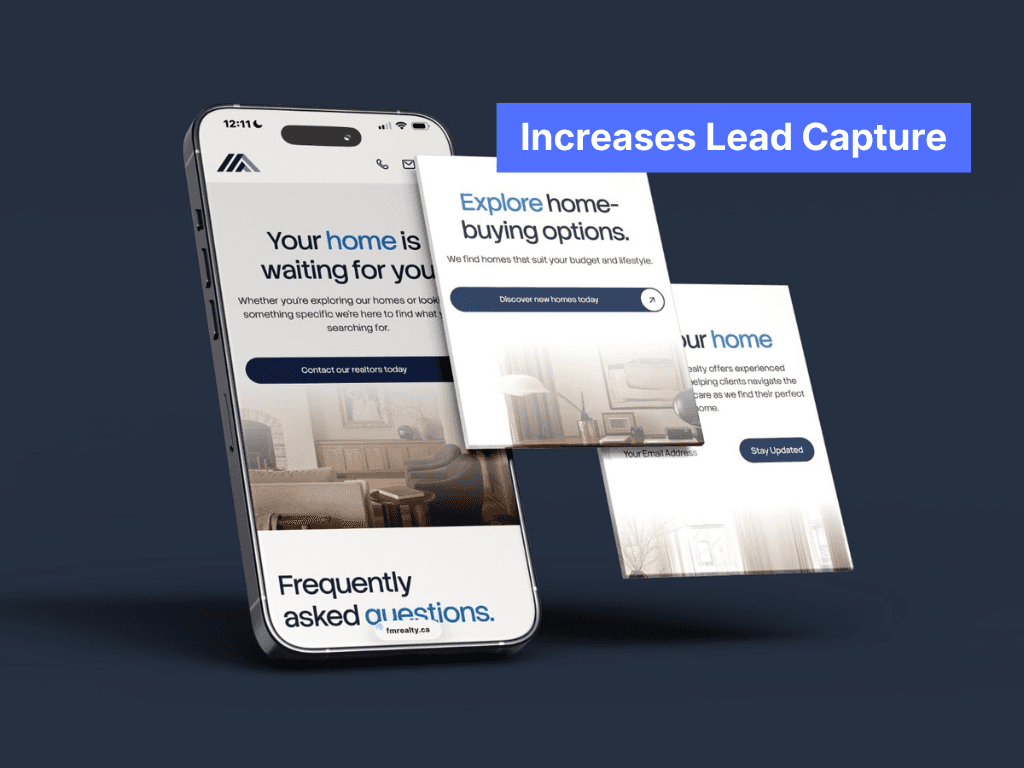
Problem: Low Site Conversions
Solution: More CTA's
The previous site lacked strong CTA's, which are vital in lead capture and conversion. I implemented more CTA's and stronger CTA's throughout the site.
05. SPRINT RETROSPECTIVE
Key learnings & next steps
Key Learnings
Older users show a 20% preference for light UIs due to historical familiarity from pre-2018 desktop/web defaults, reducing cognitive load.
Iterative prioritization (Must/Should/Could/Won't) was key in picking essential features for this 4 page site.
Having more frequent feedback loops with realtors, stakeholders and users validated assumptions early, saving redesign costs later on.
Winning Moments
2400% Lead Surge: Site revamp skyrocketed leads 6 months post launch from <10 to >175.
Incredible Feedback: Owners raved post-presentation, crediting visuals for huge recent success after years of stagnant growth.
Huge Uplift+: Dropped mobile bounce 90%→25%, boosted lead conversion +25x, improved client trust +65%, increased session duration 233%, and oversaw a 3x uplift in CTA clicks.
Next Steps
I truly enjoyed making this site and rebrand come to life, watching my client's conversion metrics increase so much has been so rewarding. Looking ahead, I'm excited to weave all that I've learned from this project into fresh challenges, and keep pushing what thoughtful UI/UX can do!!
Interested in learning more?
Check out my case study on the end to end design of an internal sales analytics dashboard here:
6min Read